
When you think about GDPR on your website, you probably think about cookies, analytics scripts, and your own third-party embeds. Fair enough, those are the usual suspects.
But there is a tracking mechanism that happens entirely outside your website, on your visitor's phone, and most site owners (and most visitors) have never heard of it.
What is actually happening
If your site does not have dedicated share buttons, or a visitor shares from a place where those buttons are not available, many people fall back to their phone's own share function. On Android, that often runs through the Google app, the one behind Google Search and Discover, especially when sharing via Chrome.
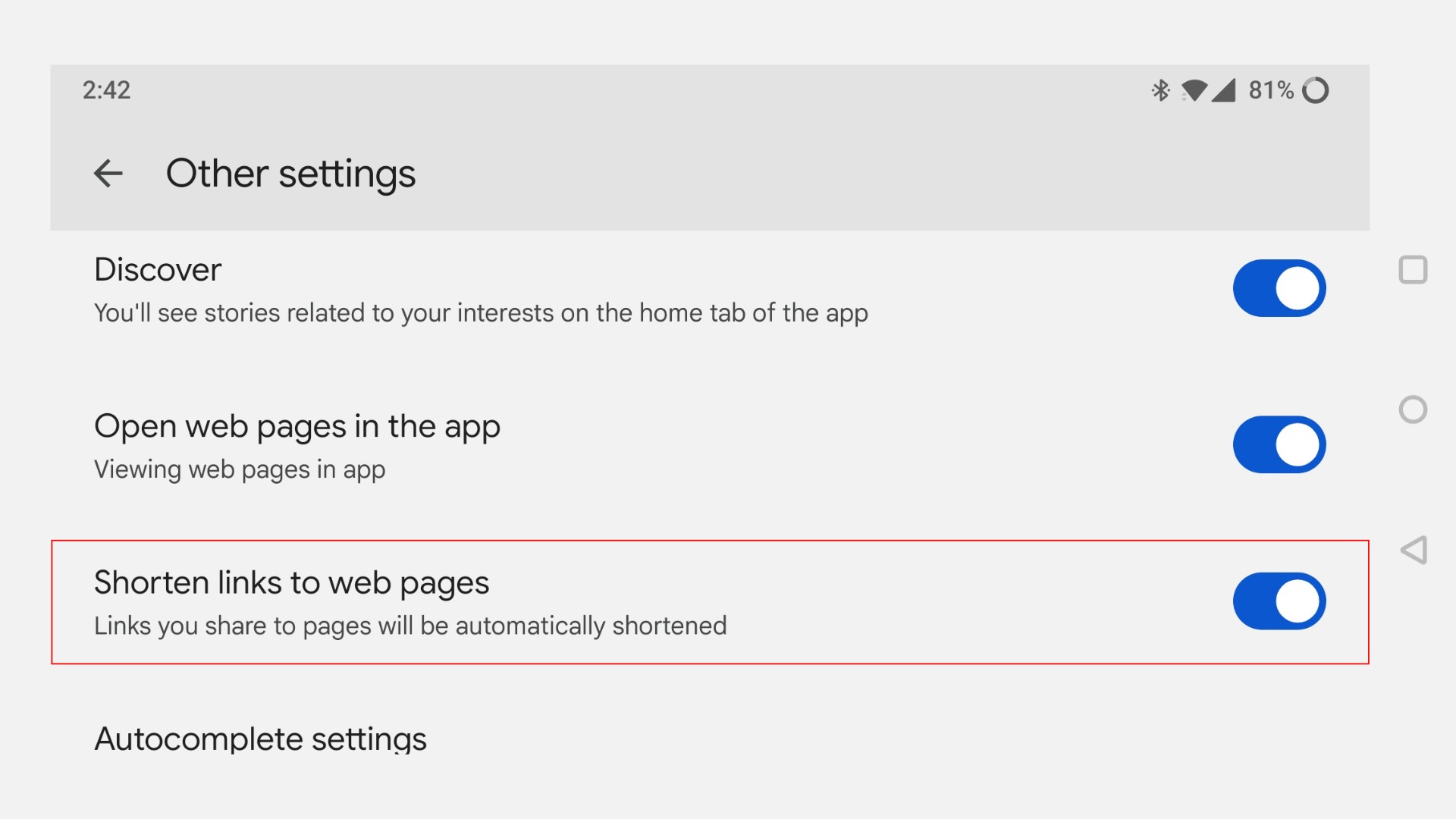
When a link is shared this way, Google can rewrite it to a short address on search.app or share.google before it goes out. This setting is enabled by default. There is a toggle to turn it off, buried under "Other settings" in the Google app, but almost nobody knows it exists, let alone that it is on by default.
Why this matters for GDPR
Here is the part that should give any GDPR-conscious site owner pause: once a link is rewritten this way, two things happen.
First, Google gets a record that a specific link from your site was shared, tied to the Google account doing the sharing.
Second, and this is the part people miss, every visitor who later clicks that shortened link gets routed through Google's servers first, before they ever reach your site. That is a second visitor, who never opened the Google app and never agreed to anything, having their click logged by Google on the way to your page.
None of this happens on your website. No script you control, no cookie banner you configured, no consent mechanism you put in place has any say in it. It happens entirely on the sender's phone, through a setting they almost certainly never touched. And yet the data trail leads straight back to content on your site.
For anyone trying to take visitor privacy seriously, that is a blind spot worth knowing about, even if there is not much you personally can do about a setting on someone else's phone.
Where dedicated share buttons make a difference
This is exactly the gap that proper on-page share buttons close. When a visitor clicks a share button that links directly to a platform's own share dialog, say straight to Facebook's or LinkedIn's share endpoint, there is no OS share sheet involved, no Google app step in between, and no rewritten link. The path from click to platform is direct and predictable.
That is how ochSocials works. Its buttons are server-side rendered and link straight to each platform's own share URL. No external scripts, no third-party tracking from the button itself, and no detour through a shortening service you have no control over.
It will not stop someone from using their phone's native share function instead, that is always going to be a visitor's choice. But it does mean your site is not pushing people toward that path by leaving them without a direct, on-page alternative. If your share buttons are easy to find and use, fewer visitors need to reach for the OS share sheet in the first place.
The takeaway
If you care about where your visitors' data ends up, it is worth knowing that some of the tracking happening around your content is not coming from your site at all. It is coming from defaults set on someone else's phone, defaults almost nobody checks.
Giving visitors a clear, direct way to share your content is a small thing, but it is one less reason for that detour to happen.